

What Is OpenClaw?
OpenClaw is a self-hosted AI agent runtime designed to let language models safely interact with real systems — servers, APIs, messaging platforms, and operational tools. Instead of giving an LLM raw shell access, OpenClaw introduces a governed tool layer, routing rules, and agent identities.
It’s best thought of as:
An AI agent control plane for infrastructure and operations
Typical use cases include:
- DevOps automation
- ChatOps
- Server diagnostics
- Incident assistance
- Controlled SSH operations
- Multi-agent workflows
- Local LLM operations
High-Level Architecture
OpenClaw sits between users, models, and real infrastructure. Agents don’t directly execute commands — they call tools through a controlled interface.
Reference Architecture Overview
Core Flow
- User sends request (CLI, Web UI, chat channel)
- OpenClaw routes request to an agent
- Agent selects tools (not raw commands)
- Tool wrapper executes safely
- Results returned to agent
- Agent produces final answer
Core Components Explained
Agents
Agents are role-based AI operators with:
- Identity/persona
- Model binding
- Tool permissions
- Workspace
- Routing rules
- Execution limits
Examples:
- Linux admin agent
- Proxmox/Ceph agent
- Monitoring agent
- Documentation agent
- Read-only audit agent
Each agent can use a different model and toolset.
Channels
Channels are how tasks enter the system:
- CLI / TUI chat
- Web control UI
- Messaging bots
- API endpoints
- Automation triggers
Routing rules map channels → agents.
Tools Layer (Critical Safety Boundary)
Tools are structured execution wrappers such as:
- SSH read-only command tool
- Log reader
- Config inspector
- Metrics query tool
- API caller
- File reader
This prevents unsafe behavior like:
- Arbitrary command execution
- Unbounded shell access
- Unlogged changes
Best practice: start with read-only tools only.
OpenClaw Control UI & TUI Experience
OpenClaw typically provides both terminal and web control surfaces.
Example Agent Control Interfaces
Typical capabilities include:
- Agent list & status
- Model binding
- Tool permissions
- Channel bindings
- Health probes
- Execution logs
- Routing rules
Multi-Agent Routing Model
One of OpenClaw’s strengths is routing different tasks to different agents.
Multi-Agent Routing Concept
Example routing strategy:
| Channel | Agent |
|---|---|
| Infra alerts | Ops Agent |
| Telegram bot | Support Agent |
| CLI console | Admin Agent |
| Docs channel | Knowledge Agent |
Each agent can have:
- Different models
- Different cost limits
- Different tool access
- Different safety profiles
OpenClaw + Local LLM Stack
A popular pattern is pairing OpenClaw with local models via Ollama or similar runtimes.
Local LLM + Agent Stack
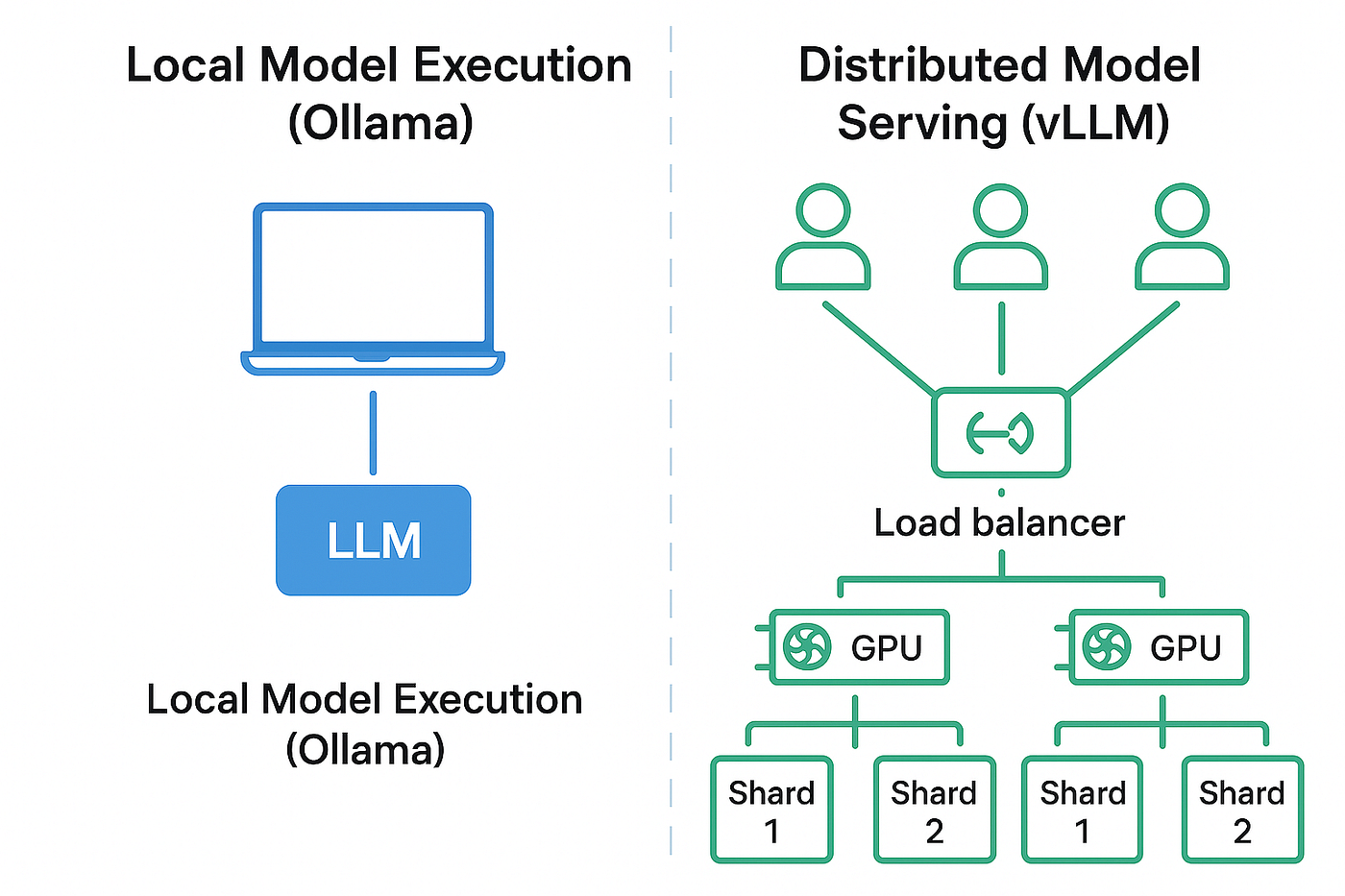
Benefits:
- Offline operation
- No API token limits
- Lower cost
- Predictable latency
- Data privacy
Hybrid pattern:
- Local model → routine ops
- Cloud model → deep reasoning
- Fallback routing enabled
Real Operational Use Cases
Infrastructure Diagnostics
Agent can:
- Check service health
- Read logs
- Inspect configs
- Summarize failures
- Suggest fixes
All via read-only tools.
Proxmox / Ceph Operations
Agents can safely:
- Query cluster health
- Read pool status
- Inspect OSD metrics
- Check VM states
- Summarize alerts
Without granting write access.
ChatOps Workflows
Admins can ask:
- “Show degraded Ceph PGs”
- “List VMs with high memory”
- “Summarize yesterday’s alerts”
- “Check disk usage across nodes”
Agent executes tool queries and responds.
Incident Assistance
During outages:
- Agent gathers diagnostics
- Correlates logs
- Suggests remediation
- Produces incident summary
Security & Governance Model
OpenClaw is powerful — so guardrails matter.
Recommended Controls
Start with:
- Read-only SSH tools
- Command allowlists
- Low concurrency
- Token limits
- Tool-by-tool permissions
- Full audit logging
Avoid early-stage write tools like:
- Package installs
- Service restarts
- Config edits
Add later with approval gates.
Deployment Patterns
Common installs:
VM Deployment
- Ubuntu Server VM
- Node runtime
- Systemd service
- Reverse proxy
- Persistent workspace
Proxmox Template Approach
Many teams build:
- Golden VM template
- Preinstalled OpenClaw
- Tool wrappers
- Preconfigured agents
Then clone as needed.
Automation Install
Often done with:
- Ansible
- Shell bootstrap scripts
- Cloud-init templates
Common Pitfalls
API Rate Limits
Fix by:
- Lower concurrency
- Local model fallback
- Shorter prompts
- Task chunking
Context Overflow
Fix by:
- Summarization first
- Retrieval patterns
- Chunked inputs
- Larger-context models
Tool Design Errors
Always:
- Test tools standalone
- Validate outputs
- Enforce parameter schemas
- Log every execution
When OpenClaw Is the Right Choice
Best fit when you need:
- Self-hosted AI agents
- Infrastructure-aware automation
- Controlled execution
- Multi-agent workflows
- Local model integration
- ChatOps + tool safety
Final Thoughts
OpenClaw represents the move from AI chat to AI action — with guardrails.
It gives operators a way to safely connect AI models to real systems using:
- Tool boundaries
- Agent identities
- Routing rules
- Audit trails
- Model flexibility
If you’re building AI-assisted infrastructure operations — especially with local models — OpenClaw is one of the most practical foundations available.
Get in touch with Saturn ME today for a free consulting session—no strings attached.